The current state of creative production is defined more by its bottlenecks than its breakthroughs. For video editors and designers, the introduction of generative tools hasn’t just added a new line item to the software budget; it has fundamentally altered the sequence of operations required to move from a concept to a final render. The transition from manual asset creation to prompt-based generation is often viewed as a shortcut, but in a professional setting, shortcuts without structure lead to technical debt and inconsistent quality.
Successful integration of these tools requires moving away from the “toy” mindset—where a user generates a dozen variations and hopes one works—toward a repeatable pipeline. This is where the architecture of Nano Banana Pro begins to show its utility. It isn’t just about the ability to generate a high-fidelity image; it is about how that image interfaces with the rest of the production stack.
Beyond the Prompt: The Reality of Generative Production
For a video editor, an image is rarely the end product. It is a plate, a texture, a background, or a frame in a storyboard. The traditional workflow involved hunting for stock assets or spending hours in a digital painting suite. With tools like Nano Banana, that time is reallocated to refinement. However, the shift isn’t without its friction.
The biggest hurdle in generative workflows today is the lack of precision. We are currently operating in a probabilistic environment. You tell the machine what you want, and it gives you a high-probability interpretation of that request. In an agency or studio setting, “close enough” is rarely sufficient. This necessitates a workflow that prioritizes control over sheer volume. Using a dedicated AI Image Editor within this cycle allows creators to treat generated content as a raw material rather than a finished piece.
Infrastructure Over Aesthetics: Why Nano Banana Pro Matters
When we look at the technical requirements of modern content, we have to talk about throughput. A creator working on a social campaign might need thirty distinct assets in a single afternoon. If the generation process is siloed, each asset requires its own set of prompt adjustments, seeds, and manual touch-ups.
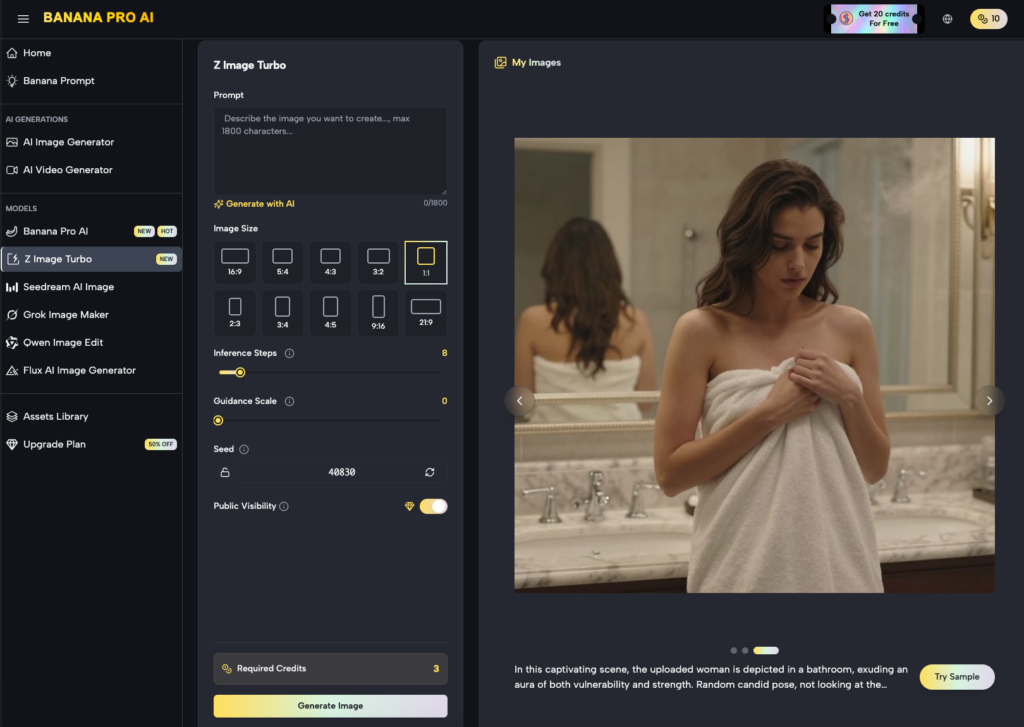
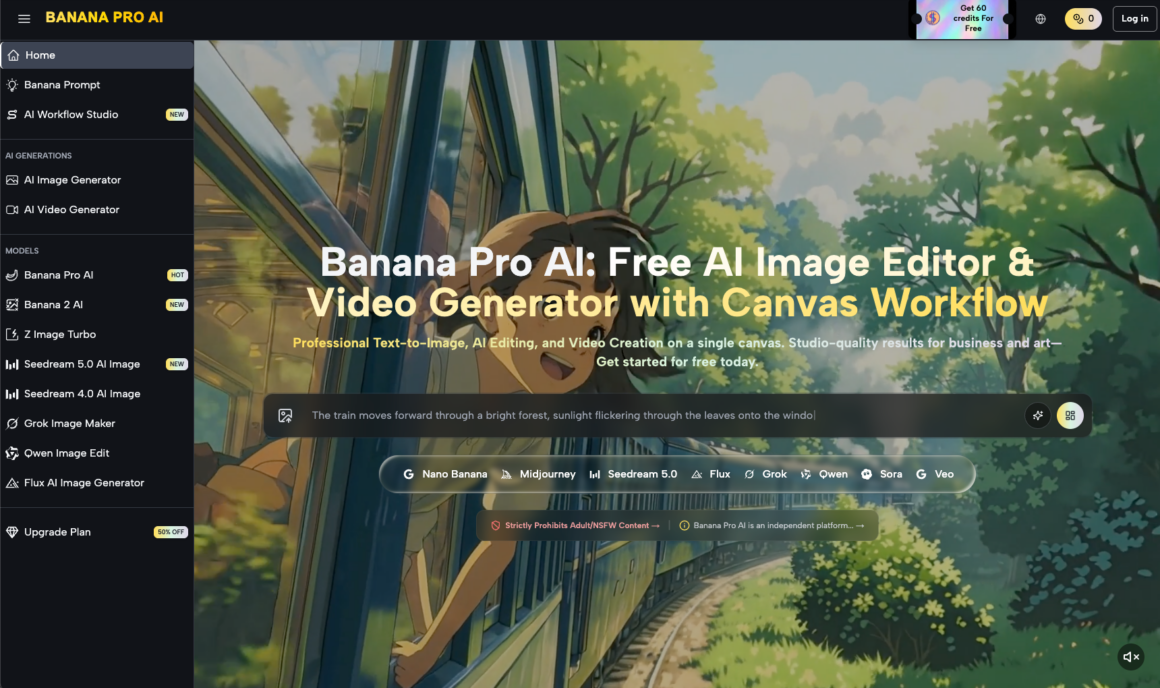
Nano Banana Pro is designed to mitigate this by providing a more cohesive environment for asset management. Instead of bouncing between disparate web apps, the focus shifts to a centralized canvas where different models—like Seedream 5.0 or Grok Image Maker—can be tested against the same creative brief. This is not about the “magic” of AI; it is about the efficiency of the interface.
The utility of Banana AI in this context is found in its ability to maintain a visual baseline. When you are building a series of frames for a video project, the hardest thing to maintain is stylistic continuity. By utilizing specific models and refined prompt weights, operators can reduce the variance that typically plagues AI-generated content.
Architecting a Repeatable Image-to-Video Pipeline
The most significant shift in the creator workflow is the movement from static to dynamic. For designers, the goal is often to create a “living” asset. The standard pipeline now frequently looks like this:
- Conceptual Framing: Establishing the visual grammar using text-to-image.
- Asset Refinement: Using an AI Image Editor to fix anatomical errors or lighting inconsistencies.
- Temporal Extension: Converting that static plate into a 4-second or 8-second video clip.
- Integration: Bringing that clip into a non-linear editor (NLE) for final compositing.
This is where Banana Pro becomes a tactical choice for the operator. By streamlining the “Image to Video” transition, the tool reduces the latency between a static design and a functional video asset. However, it is important to reset expectations here: AI-generated video still struggles with complex physics and long-term temporal consistency. If your workflow requires a character to perform a specific, multi-step physical action, a generative tool might still fail you more often than it succeeds.
The Feedback Loop: Iterating with Banana AI
Iteration is the core of design. In a traditional workflow, an iteration might mean changing a layer in Photoshop or moving a keyframe. In a generative workflow, iteration means adjusting the parameters of the model.
One of the limitations frequently encountered is “prompt fragility”—where a minor change in the text lead to a radical shift in the visual output. Experienced operators avoid this by using image-to-image workflows. Instead of relying solely on text, they use a base image—perhaps a rough sketch or a low-resolution photo—to “guide” the AI. This provides a structural anchor that text alone cannot provide.
The Friction Points: Where Generative Tools Stumble
It would be a disservice to pretend that these tools are a flawless replacement for traditional craft. There are clear moments of uncertainty that every creator must account for.
First, there is the issue of resolution and “hallucination” in fine details. While a model might generate a stunning landscape, the high-frequency details—like the texture of a distant building or the text on a sign—often fall apart under scrutiny. This requires a human editor to go back in and clean up the output. You cannot simply “set it and forget it.”
Second, there is the problem of “style bleed.” Sometimes, despite your best efforts to keep a clean, corporate look, the model might inject unwanted stylistic elements from its training data. Managing these nuances requires a deep understanding of the tool’s latent space, which takes time to master.
Execution Strategy: Deploying Tools in Professional Settings
For those managing creative operations, the decision to adopt Nano Banana Pro isn’t just about creative potential; it’s about the bottom line. How much time is being saved on the “discovery” phase of a project?
If a designer can generate five high-quality mood boards in the time it used to take to find three stock photos, the ROI is clear. But that ROI is lost if the designer spends the next four hours trying to fix a distorted hand or an unnatural shadow in an AI Image Editor.
Professional workflows must include a “sanity check” phase. This is a manual review where the operator evaluates the technical viability of the AI output before it moves further down the pipeline. Is the resolution high enough for the delivery format? Are the colors within the brand’s gamut? Is the motion fluid enough for a 24fps timeline?
Technical Constraints and the AI Image Editor
A common mistake is treating the generative process as a black box. To get the most out of a system like Banana AI, you have to treat it like a sophisticated brush. The AI Image Editor is where the “art” happens in the modern era. It involves masking, outpainting, and selective regeneration.
For instance, if a background is perfect but the subject’s lighting is off, a pro doesn’t regenerate the whole image. They mask the subject and use an image-to-image prompt to relight that specific area. This surgical approach is what separates a hobbyist from a professional operator.
Precision Over Luck: Managing Output Reliability
The goal of any production environment is predictability. We want to know that if we put X in, we get Y out. Generative AI is inherently unpredictable, which is why the workflow must be built around “probability management.”
This involves creating a library of “known good” prompts and seeds. By documenting what works within the Nano Banana ecosystem, a team can create a playbook for different visual styles. This reduces the time spent on trial and error and moves the tool into the realm of a reliable production utility.
We must also acknowledge the limitation of creative “originality.” These models are trained on existing data; they are mirrors of human output. If your project requires a completely unprecedented visual language, the AI may struggle to move beyond the tropes it has learned. In these cases, the tool should be used for the heavy lifting of repetitive tasks, leaving the “heavy lifting” of true innovation to the human designer.
Finalizing the Modern Creative Stack
The integration of tools like Nano Banana into a professional workflow marks a shift from creation to curation. The designer is no longer just the person who makes the mark on the canvas; they are the director of a system that generates marks.
This requires a new set of skills: prompt engineering, latent space navigation, and AI-assisted compositing. As these tools evolve, the distinction between “AI tools” and “creative tools” will likely vanish. We will just have tools, and some will be smarter than others.
The successful creator of the next five years will be the one who understands how to leverage the speed of Nano Banana Pro without sacrificing the precision that professional work demands. It is a balancing act between the machine’s speed and the human’s judgment. The tools provide the possibilities; the workflow provides the results.