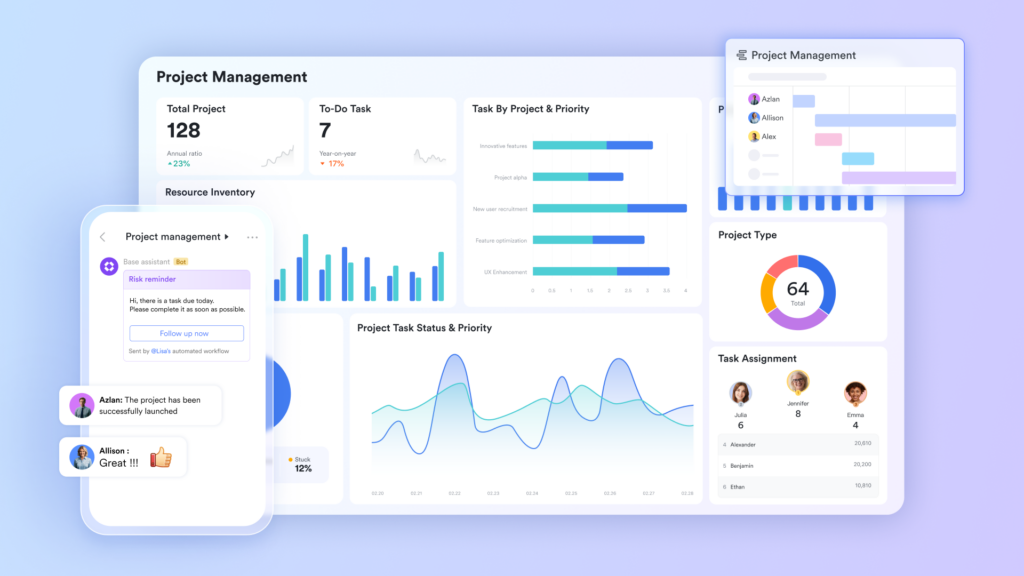
Most global teams don’t have a communication problem. They have a meeting problem. When your team spans four time zones, the default response to any decision is still to schedule a call, wait for everyone to be online at the same time, and burn 45 minutes doing something that could have been handled in ten. The real cost isn’t the calendar block; it’s the compounding delay it creates. One gating meeting pushes three downstream decisions back by a full day. Multiply that across departments and you have an organization that runs slower than it should. The shift toward async-first work requires more than a policy; it requires a set of project management tools built to make asynchronous decisions feel as clear and accountable as a live conversation. Here is how to build that infrastructure across every layer of your team.
Anchoring decisions to goals with Lark OKR
The reason so many meetings exist is that people don’t have a shared, living view of what the team is working toward. Without that context, every decision feels like it needs a conversation to validate it. Lark OKR changes that by giving every team member a transparent, real-time view of what the organization is chasing and how their work maps to those targets.
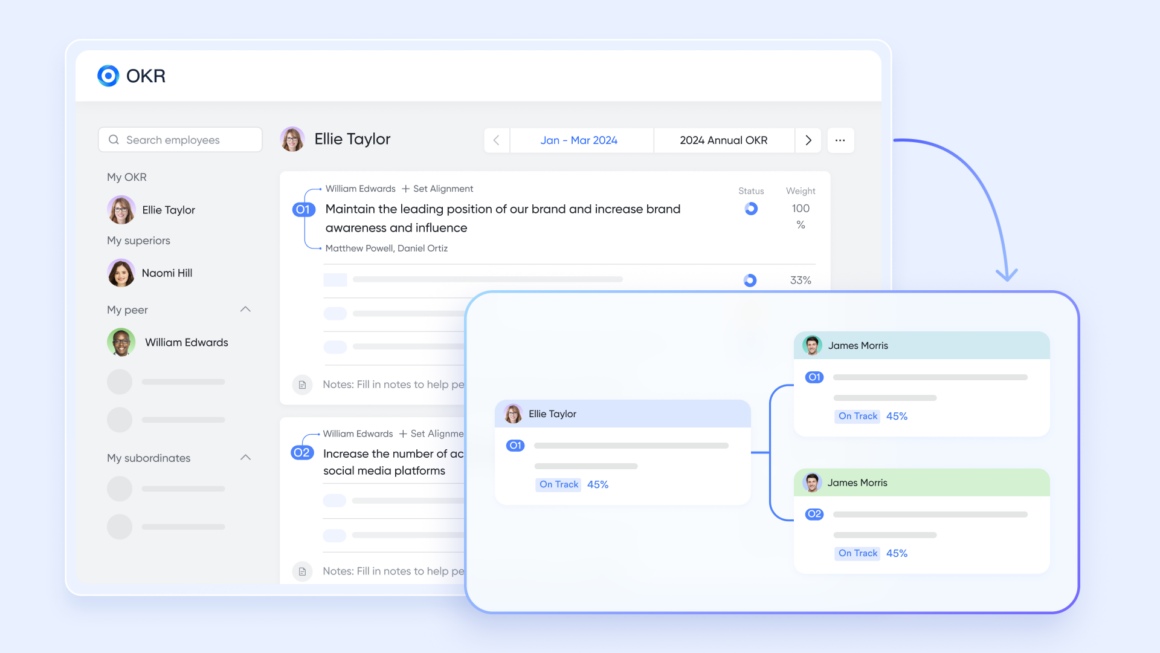
- Cross-team goal visibility. Every objective and its connected key results are visible across departments, so team members can make directional decisions on their own without needing to book time with a manager to confirm priorities. When everyone can see whether the company is ahead or behind on a key result, the right trade-off becomes obvious.
- Goal-to-task alignment. Lark OKR lets teams link daily work directly to specific key results. When a team member finishes a task, the impact on the broader objective is visible immediately, removing the need for weekly “progress update” meetings where people simply report what they have already done.
The result: Teams stop using meetings as alignment tools. When the mission is permanently visible and progress updates itself, the standing check-in call loses its reason to exist. People can move forward independently and still remain coordinated at the organizational level.
Replacing the scheduling back-and-forth with Lark Calendar
In most companies, arranging a meeting costs more time than the meeting itself. One person sends three times, another replies with two conflicts, someone forgets to add the video link, and a follow-up is required before a single word of actual work happens. Lark Calendar is built to collapse that entire exchange into a single action.
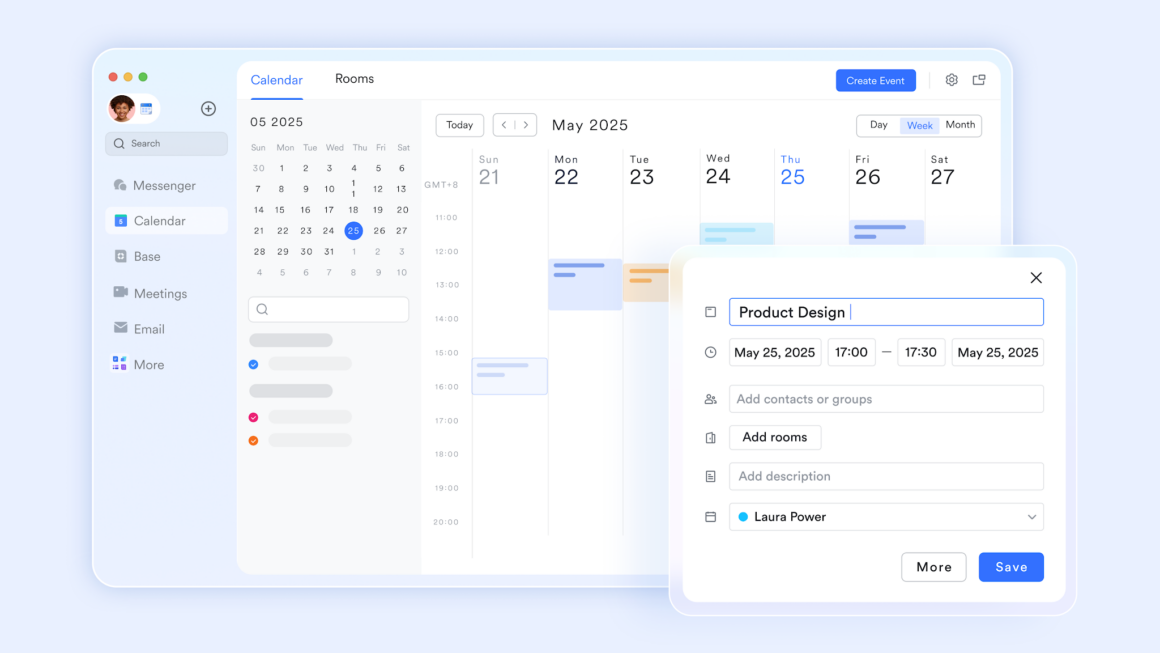
- “Schedule in Chat.” Team members can compare calendars side by side directly within a chat window and find an open slot without ever leaving the conversation. There is no need to forward a scheduling link, check a separate app, or wait for an email reply. The confirmation happens in the same thread where the need was identified.
- “Meeting Groups.” When creating a calendar event, Lark Calendar automatically generates a linked group chat for all attendees. Pre-read documents can be shared directly into that group so everyone arrives with context, and post-meeting follow-ups stay anchored to the same thread.
The result: The administrative overhead of scheduling drops to near zero. When finding a time and preparing for a meeting happen in one place, teams stop losing an entire cycle just to confirm a thirty-minute conversation.
Replacing live status calls with Lark Base
The daily standup and the weekly status report share a common flaw: they exist to move information from one person’s head to another. Both can be replaced entirely by a shared workspace where the information lives by default. Lark Base gives teams a relational database that updates in real time and makes every project’s status visible without anyone needing to speak it aloud.
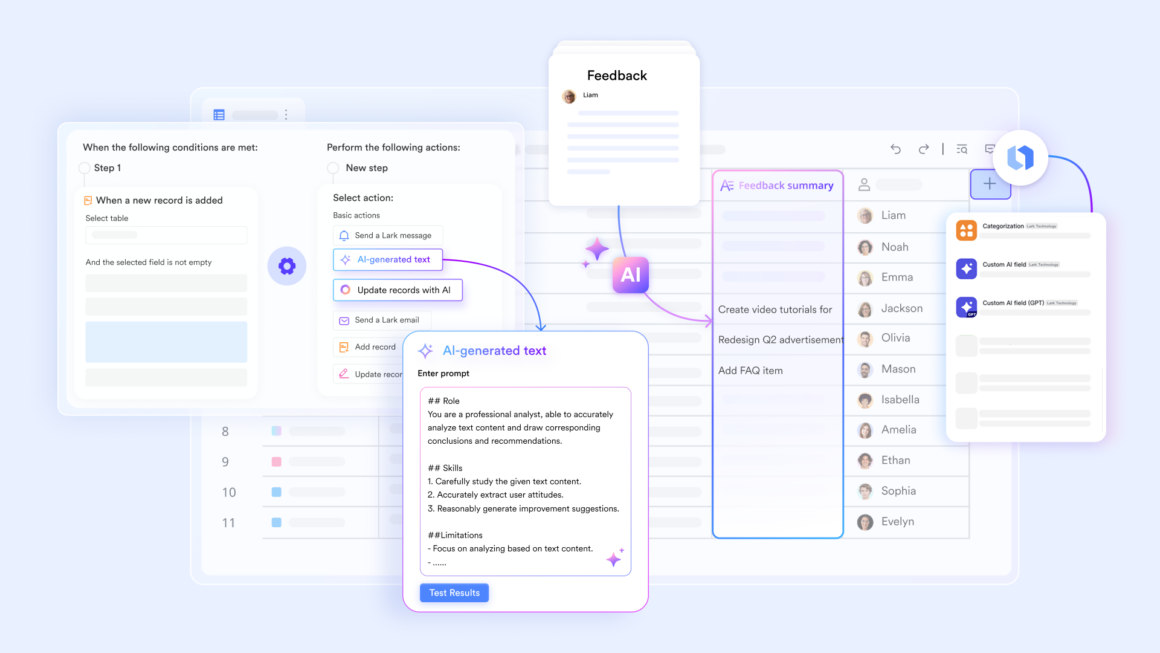
- Automated status-change notifications. When a team member updates a record in Lark Base, such as moving a deal from “In Progress” to “Awaiting Approval,” the system automatically pings the relevant people via Messenger. No one needs to run a call to announce that a stage has changed.
- Kanban and Gantt views on the same data. A project manager can view the work as a Kanban board to track workflow stages, while an executive can pull up the same dataset as a Gantt chart to see timeline risk. Both are looking at live data, so there is no version conflict and no need to prepare separate decks for different audiences.
The result: The weekly status meeting becomes redundant. When a project’s state is always current and the right people are notified automatically, the only meetings that survive are the ones that actually require a decision, not a briefing.
Replacing opinion-based decisions with Lark Sheets
A significant portion of meetings exist because the data is not in a shared place. One person has a spreadsheet on their desktop, another has a different version in their email, and no one trusts either. Lark Sheets solves this by making a single version of every dataset permanently accessible and editable by the whole team.
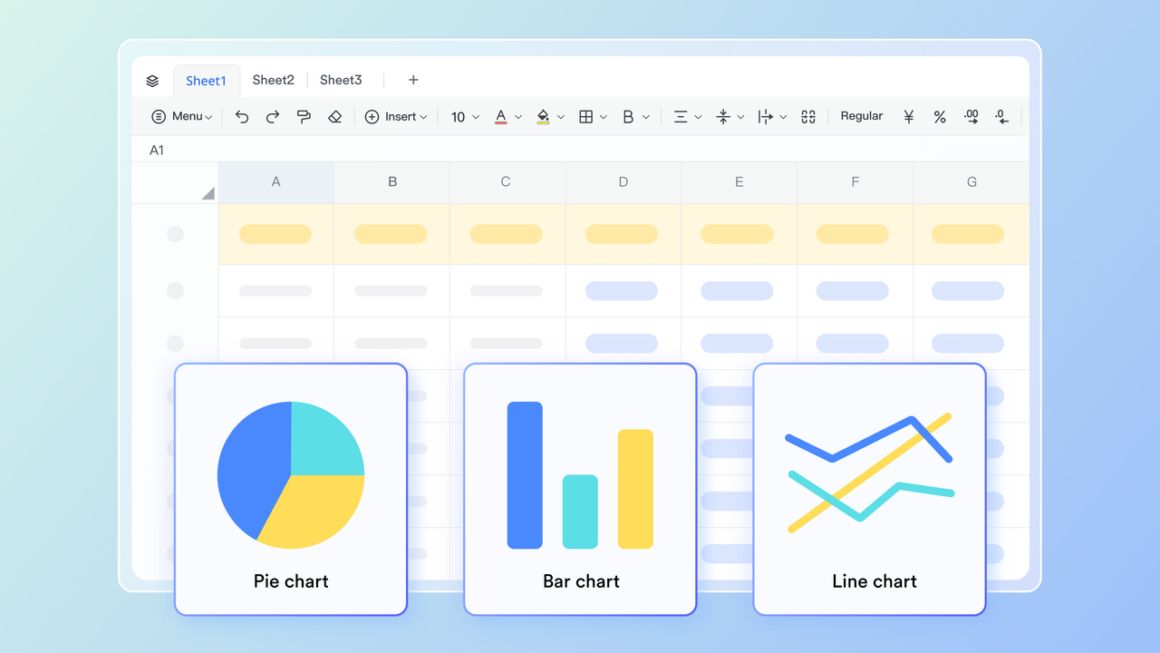
- Real-time co-editing with live formulas. Multiple team members can work in the same sheet at the same time, with formula calculations updating as data changes. A finance lead and a marketing manager can model scenarios together without scheduling a call to “talk through the numbers.”
- Cross-team data sharing. Sheets can be embedded directly into Lark Docs or pinned inside a Messenger group, so the relevant data is always one click away from the conversation it belongs to. Teams stop emailing spreadsheet attachments and stop debating which file is current.
The result: Data-dependent decisions move out of meeting rooms and into shared documents. When everyone is working from the same live numbers, the “let’s get everyone in a room to go through the data” call no longer has a reason to be called.
Replacing real-time check-ins with Lark Messenger
Many teams struggle with information overload, too many messages to keep up with, constant notifications, and conversations that demand attention at the wrong time. This becomes even more challenging in cross-time-zone collaboration, where messages can interrupt teammates outside their working hours.
Lark Messenger addresses this by helping teams manage communication more deliberately. Instead of broadcasting every message to everyone, conversations can be organized so that only relevant participants are notified, reducing noise and unnecessary interruptions. This makes it easier for teams to stay aligned without feeling pressured to respond immediately.
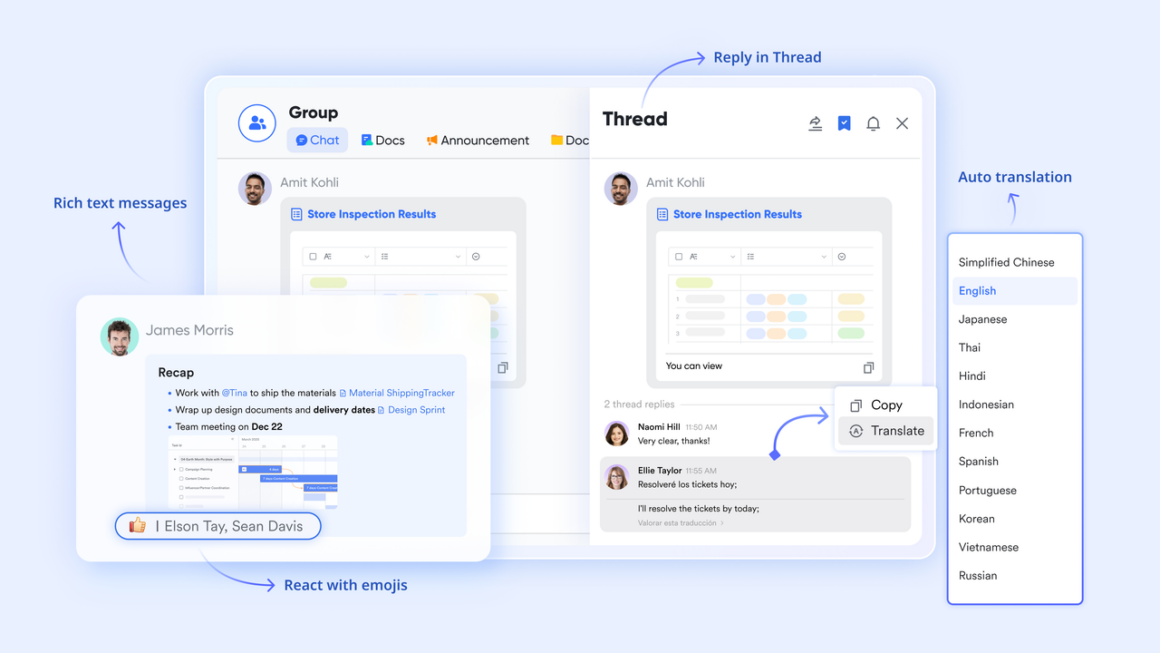
- “Chat Tabs & Threads.” Lark Messenger lets teams pin structured reference material, like a brief, a decision log, or a policy, directly into the tabs of a group chat. Instead of scrolling through message history to find a past decision, team members find it exactly where they would look first.
- “Scheduled Messages.” Team members in earlier time zones can compose messages at the end of their day and schedule them to land at the start of their colleague’s morning. The recipient gets a clear, calm message instead of waking up to a backlog of fragmented, late-night thoughts.
The result: The chat environment stops feeling like a live newsroom and starts functioning like a well-organized inbox. When communication has structure and timing, the reflex to schedule a call “just to stay in sync” fades naturally.
Replacing the pre-meeting prep scramble with Lark Docs
Half of every meeting is spent getting everyone to the same starting point. Someone hasn’t read the brief. Someone else is working from an old draft. Someone asks a question that was already answered in the document. Lark Docs eliminates this problem by making documents a living part of the workflow, not an attachment that may or may not have been opened.
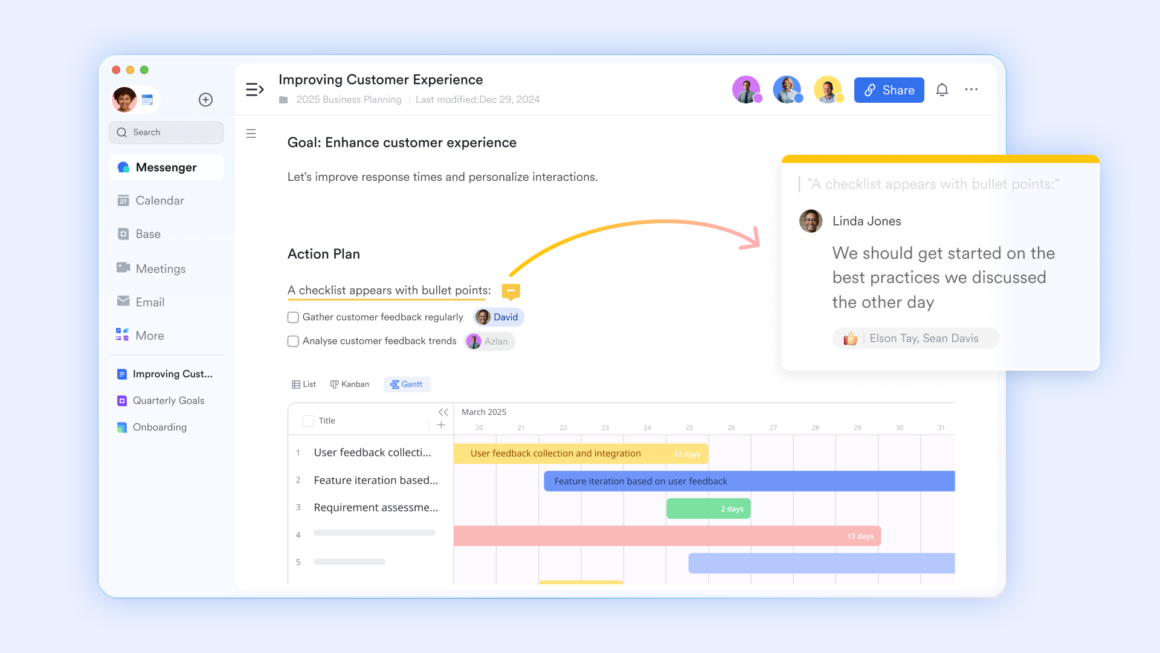
- “Version History.” Every change to a Lark Docs is logged with a timestamp and the name of the person who made it. Team members who join a project mid-flight can scroll through the edit history to understand exactly how a decision evolved, without needing a catch-up call.
- “Import to Online Docs.” Teams can bring in existing Word documents, PDFs, and other file formats and convert them into editable, shareable Lark Docs in one step. There is no friction in getting the entire team onto the same living document, even when the original file came from outside the platform.
The result: The pre-meeting brief becomes unnecessary when the document has always been alive. When version history is transparent and external files are easy to bring in, every team member shows up already prepared.
Bonus: What other platforms get wrong with async
When teams first commit to reducing meetings, the instinct is to bolt on specialized tools. Leaders check Google Workspace pricing to see what they are already paying for, then add Zoom for calls, Calendly for scheduling, Confluence for documentation, and Notion for project tracking. Each tool solves one problem but creates another: a new login, a new notification stream, and a new place where information gets siloed away from everything else.
The problem with that approach is that async discipline requires context to travel with the conversation. When your calendar lives in one app, your documents in another, and your task database in a third, the connective tissue between them is always a human being who has to copy, paste, and manually update. Lark keeps all of it in one place. The calendar event, the pre-read doc, the meeting group, the decision log, and the follow-up task all live in the same environment, so the context never has to be re-explained and the handoffs happen automatically.
Conclusion
The 9-to-5 meeting culture isn’t broken because people love meetings. It’s broken because teams haven’t been given the infrastructure to trust anything else. When goals are visible, schedules are frictionless, project status is live, and documents are always current, the meeting stops being the safest option and starts being the slowest one. Building that environment takes a deliberate choice to move toward a connected set of productivity tools where async collaboration is the default, not the exception. When the infrastructure is right, the meetings that remain are the ones that actually deserve a place on the calendar.