The “AI Revolution” in document management has reached a plateau. For the past two years, we’ve been told that “Chatting with your PDF” is the ultimate productivity hack. But the reality is more frustrating: after the AI summarizes your 50-page report, you still have to manually navigate a cluttered toolbar to compress it, convert it to Word, or scrub out watermarks.
You are still the operator. You are still doing the “manual labor” of file management.
However, a shift is happening. Tools like LightPDF AI Agent are moving away from passive conversation and toward active execution. The real story isn’t that AI can read; it’s that AI can finally work.
The “Tool Hopping” Tax: A Productivity Killer
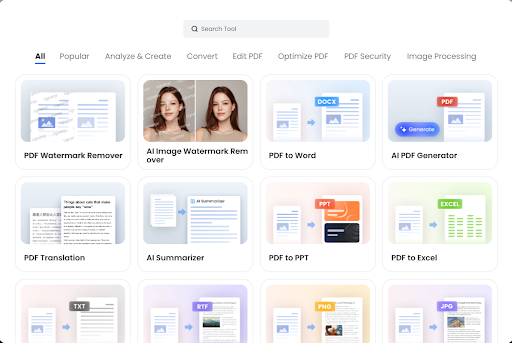
Most online PDF platforms function like a digital hardware store. If you have a complex task—say, taking three separate scanned reports, merging them, removing the watermarks, and then translating the final result—you have to perform a “Digital Triathlon”:
- Navigate to the OCR tool to make the scans readable.
- Jump to the Merge tool to combine them.
- Switch to the Watermark Remover to clean the pages.
- Finally, locate the Translation and Compression tools.
This “tool hopping” is a hidden tax on our time and mental energy. Even with “fast” web tools, the friction of uploading, processing, downloading, and re-uploading between different modules is immense.
The Rise of the Command-Based Workflow
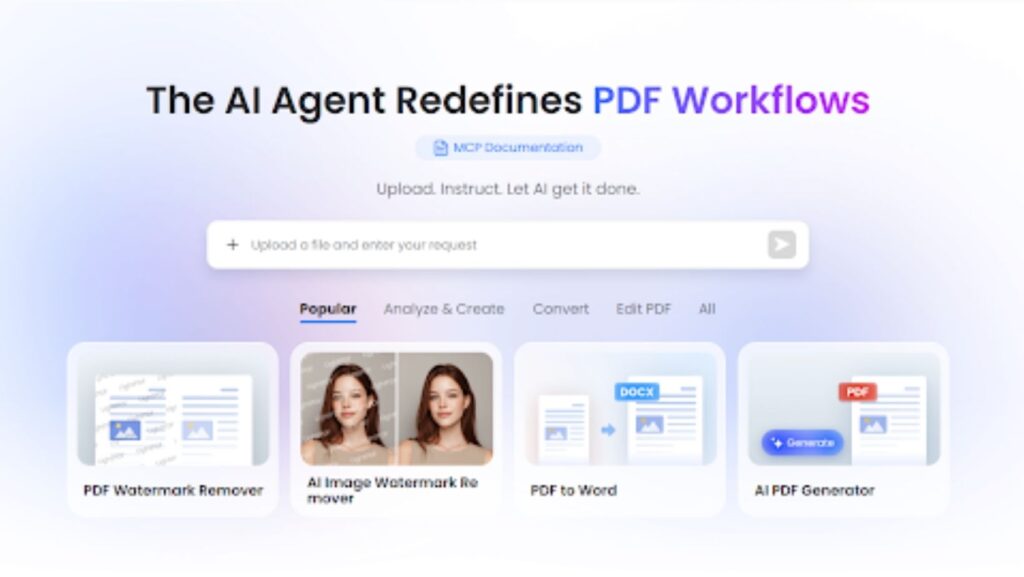
LightPDF AI Agent solves this by replacing the toolbar with a Command Interface. It treats the entire suite of PDF tools—conversion, generation, protection, editing, and compression—as a single, unified brain.
Instead of hunting for buttons, you simply state your intent:
“Hey, merge these three files, remove the watermarks, and compress the final version so I can send it via Slack.”
In that one sentence, the AI Agent orchestrates four different backend processes. It identifies the need for the Merger, triggers the Watermark Remover, executes the Compressor, and delivers the final product. What used to be a 10-minute multi-step process is reduced to a 10-second instruction.
What Makes an “Agent” Different from a “Chatbot”?
While standard PDF AI tools are limited to text analysis, LightPDF agent has Agency over the file structure.
- Integrated Multi-Tasking: You can ask the agent to “Convert this PDF to a clean Excel sheet and highlight the rows related to Q4 taxes.” It doesn’t just talk about the data; it transforms the file format to make the data more useful.
- Visual and Structural Intelligence: With advanced AI Image & PDF Watermark Removal, the agent can “see” distracting elements. You don’t have to manually select areas; the agent identifies and wipes them out upon request.
- Automated Generation: You can feed the agent raw notes or ideas and command it to “Generate a structured, professional PDF proposal based on this text.” It handles the layout and formatting, moving from “content analysis” to “content creation.”
From “User” to “Director”
The competitive edge of LightPDF AI Agent lies in how it simplifies the user experience. Most web-based PDF tools require the user to understand the process (which tool to use and in what order). LightPDF only requires the user to understand the goal.
This shift is crucial for freelancers, legal professionals, and students who handle hundreds of documents weekly. When you have a “PDF AI Assistant,” you stop being the person who manages files and start being the person who directs the workflow.
The Future of Documents is Zero-Interface
The ultimate goal of productivity tech is to make the interface disappear. We are heading toward a “Zero-Interface” future where the GUI (buttons, menus, tabs) is secondary to the AI’s ability to execute commands.
LightPDF’s transition from a collection of web tools to a centralized AI Agent is a major step in that direction. It effectively kills the “Digital Triathlon” and replaces it with a conversation. If you’re still clicking through five different tools to finish one document task, you’re working in the past.